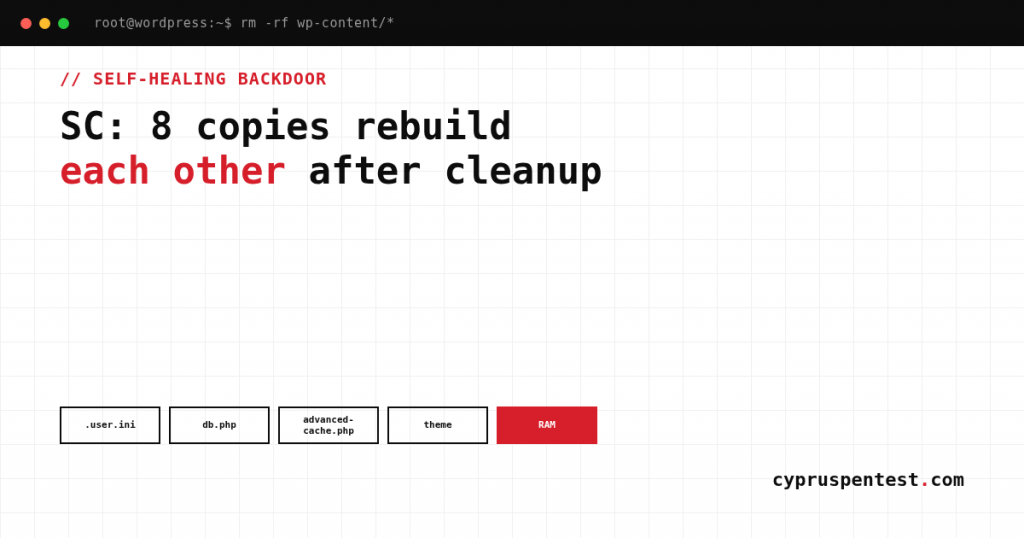
Sucuri has documented a WordPress compromise where the attackers did not just drop a backdoor, they spread it across eight places at once: files, the database, and shared memory. Each of those places can rebuild all the others. Delete the plugin and a drop-in rewrites it. Delete the drop-in and the theme rewrites it. Wipe every file on disk and the next page load restores the whole set from the database or from a shared-memory segment. It is a circular system with no single point you can remove to stop it.
The backdoor is named SC after the SC_ markers in its injected code, and Sucuri calls it a self-healing mesh controlled over blockchain. For anyone doing incident response or a cleanup on WordPress, this is the case that breaks the usual habit of finding the malicious file and deleting it. Here is how the persistence actually works and what that means for cleaning it.
Why file-by-file cleanup fails
The threat is not a single malicious file, it is that identical copies of the backdoor live in fundamentally different storage, and as long as one survives it rebuilds the rest on the very next request. The piece that defeats most cleanups is shared memory. On servers that support System V shared memory, the payload is written into a segment identified by a fixed numeric key. That segment lives in RAM, so it survives file deletion and database cleanup alike, and on shared hosting it can even be owned by a different account. You wipe the disk and the database, and the backdoor is still sitting in memory waiting for the next request.
There are no readable function names in the code. A decoder unscrambles everything with a substitution cipher, so you will not find this by eyeballing source. These are the eight components that make up the mesh:
.user.inisetsauto_prepend_fileso a loader runs before every PHP request in that directory tree.wp-content/c1b12371.phpis the loader that includes a hidden dot-prefixed file if it exists in the same location.wp-content/.c1b12371.phpis that hidden dot-prefixed file, the first-stage loader: it locates a fake plugin and rebuilds it inmu-pluginsfrom three sources (an existing copy in the plugins folder, an encoded stub in the cache directory, and a ZIP restore bundle with a random hex name).wp-content/db.phpis loaded during bootstrap and carries the entire payload in compressed, Base64-encoded form. It decodes and redeploys the plugin whenever it is missing or too small.wp-content/advanced-cache.phpis loaded before ordinary plugins when caching is enabled, and rebuilds the plugin from five independent sources: an existing mu-plugin, an existing plugin copy, a System V shared-memory segment holding PHP, a ZIP bundle, and the database.wp-content/themes/khorshidi/functions.phpis a theme-resident twin ofdb.php: the same backdoor, rewriting the plugin every time it is not present.wp-content/mu-plugins/hyper-engine-kit.phpis the actual malware, installed as both a must-use plugin and a normal plugin.wp-content/plugins/hyper-engine-kit/hyper-engine-kit.phpis a duplicate of the same payload for redundancy.
What the backdoor does once it runs
However it launches, it does the same things: hides itself from the admin plugins screen and from update checks, talks to its command-and-control over the Ethereum blockchain, fingerprints the site and pulls additional payloads, creates a hidden administrator account, and runs the reinfection loop.
With that control, the operator owns the site: fetch arbitrary JavaScript and inject it at visitors (skimmers or other malware), run PHP, deactivate or delete specific plugins. The command channel is hidden inside legitimate blockchain infrastructure, so you cannot block it the way you would block an ordinary C2 domain.
The persistence also runs through cron. The backdoor registers cron hooks, including randomized names alongside a known fetch hook. System cron runs the WordPress cron file, not visitor traffic, and triggers redeployment on schedule. So a site with no visitors at all still reinfects itself on a timer.
What this means for an assessment or cleanup
Two things to carry into any WordPress engagement after this.
Treat the infection as a system, not a file. If anything resembling SC is present, a file-by-file cleanup will lose to the reinfection loop. The only cleanup that works removes every copy at once, with PHP execution stopped and the shared-memory segment cleared, or rebuilds the site from a known-clean state entirely.
Know where it hides, because scanners miss these. The persistence lives in places a plugin-level scanner does not look: .user.ini and its auto_prepend_file directive, the drop-ins db.php and advanced-cache.php, the theme’s functions.php, mu-plugins, dot-prefixed hidden files, cron entries with randomized names, and a hidden admin account. On a site that keeps reinfecting after cleanup, these are exactly the spots our WordPress and CMS penetration testing checks, and the shared-memory segment is the one a disk-and-database cleanup silently leaves behind.
Indicators and hiding spots
.user.iniwith anauto_prepend_filedirective pointing at a loader.- Drop-ins
wp-content/db.phpandwp-content/advanced-cache.phpcarrying encoded PHP payloads. - Loader files
wp-content/c1b12371.phpand the hiddenwp-content/.c1b12371.php. - A backdoor twin inside
wp-content/themes/khorshidi/functions.php. - A fake plugin
hyper-engine-kitinstalled in bothmu-pluginsandplugins. - Dot-prefixed hidden files, and a ZIP restore bundle with a random hex name in the cache directory.
- Cron hooks with randomized names next to a known fetch hook.
- A System V shared-memory segment under a fixed numeric key, possibly owned by another account on shared hosting.
- A hidden administrator account, and a plugin that is missing from the admin screen but present on disk.
- Code with no readable function names, unscrambled at runtime by a substitution-cipher decoder.
How it got in, and the wpForo angle
The exact delivery is unknown in this case, but the initial access vectors for WordPress are always the same: known flaws in core, plugins, and themes; weak credentials; supply-chain attacks on popular plugins; and insecure media or form upload features used to push a PHP web shell into server directories. Any one of those gives the attacker the first foothold the whole eight-headed mesh grows from.
Relevant right now: a high-severity unauthenticated SQL injection in the wpForo Forum plugin (CVE-2026-1581, CVSS 7.5) is under active exploitation. It affects all versions up to and including 2.4.14. Per Previdian telemetry, fewer than 20 exploitation attempts have been seen since July 3, 2026, from five unique IPs in Bulgaria, Switzerland, France, the US, and Yemen. The attempt count is low, but an unauthenticated SQL injection in a forum is exactly the class of flaw that lets a backdoor like SC in — the same injection path our SQL injection testing is built to catch before an attacker finds it first. If you run wpForo, update it.
How to clean it properly
- Take the site offline first. While PHP can execute on the server, any request rebuilds the backdoor. Cleaning a live site is pointless.
- Clear the shared memory. Deleting files and cleaning the database is not enough. The System V shared-memory segment under its fixed key has to be dropped, which in practice means restarting the services or rebooting to flush those segments.
- Remove all eight copies at once, with PHP stopped. As long as one copy survives (theme,
db.php,advanced-cache.php, database, RAM), it restores the rest. Sequential cleanup loses. - The reliable route is a rebuild from known-clean state: fresh WordPress, plugins and theme reinstalled from official sources, only verified content and a vetted database carried over, rather than trying to heal the infected site in place.
- Rotate everything afterwards: admin passwords, the keys and salts in
wp-config.php, database credentials, API keys. Then close the initial entry point, or the same thing comes back.
Confirming the entry point is actually closed, and that nothing from the old infection survived the rebuild, is exactly what an assumed breach assessment is for.
The takeaway
SC is a reminder that a modern WordPress infection can be a system rather than a file. One backdoor is cloned across drop-ins, the theme, a fake plugin in two locations, the database, and shared memory, its command channel is hidden in blockchain infrastructure, and it rewrites itself from any surviving copy on the very next request. Find-and-delete does not work against this by design. What works is removing every copy simultaneously with PHP stopped and memory flushed, or better, rebuilding from clean, then rotating every secret and closing the way in.