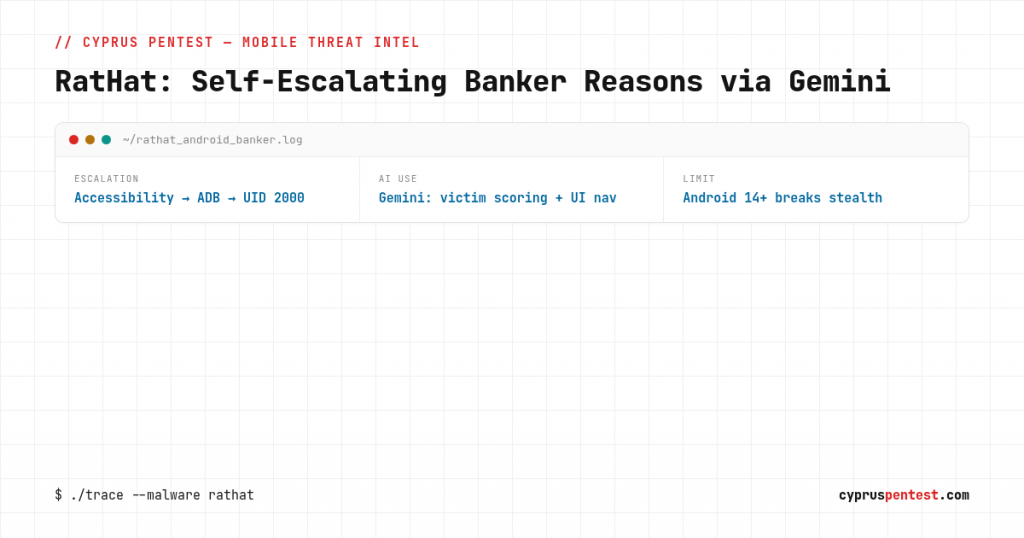
RatHat is an Android banking trojan sold as a service, and it is a clean case study in two things every mobile assessment should now account for: on-device privilege escalation through wireless ADB, and AI wired into both the malware and the operator’s console. Cleafy documented the console in detail on September 28, with concurrent analysis from Zimperium. The mechanics are what make it worth a technical read, so this is a breakdown of how it gets its foothold, how it escalates, and what that means for testing the mobile apps and devices you are responsible for.
The console: malware-as-a-service with a build pipeline
RatHat is run from a console that is both C2 and build platform, sold under a MaaS model with segmented customer accounts (the console limits operator accounts and hides features from non-admins). The payload stabilized in late 2025 against a console called “Fisher,” and since April 2026 Cleafy has tracked nearly 100 console deployments across successive versions: BlackCat Remote Control Management (April), Panda Workshop V5 (August), and Panda Workshop V6 (September), the last three sharing a codebase.
The build side matters for detection because it is engineered against it. Operators build the malware, embed it in innocuous-looking apps, sign the packages, and publish them to Amazon S3 or web servers with no hosting work of their own. The console can rebuild apps on a schedule, hourly for example, producing a fresh file hash each time. Hash-based detection is defeated by design. V6 also ships templates for fake download pages, including a counterfeit “Google Store” replica.
The foothold: Accessibility, then wireless ADB
Distribution is SMS and online ads leading to third-party download sites, so the initial install is user-driven social engineering, not an exploit. The interesting part is what happens after install, and it is the chain worth understanding for any Android device assessment.
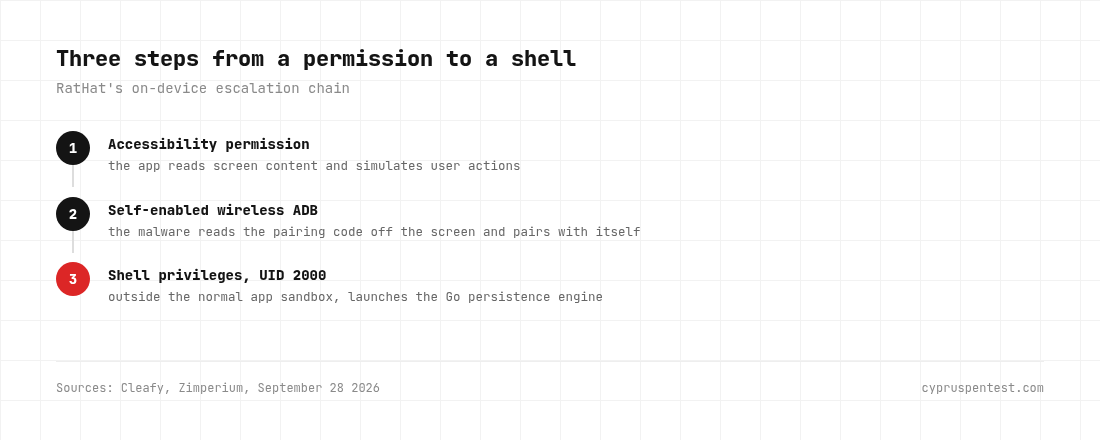
- Accessibility permission. The app requests Accessibility, which lets it read screen content and simulate user interactions. This is the pivot everything else hangs off.
- Wireless debugging self-enablement. Using that access, the malware turns on Android’s wireless ADB, reads the pairing code off the screen, and pairs with itself automatically. No cable, no manual developer-options fiddling by the victim.
- Shell privileges (UID 2000). Through ADB it obtains shell-user privileges, UID 2000, which sits outside the normal app permission sandbox. That is the escalation: from an app permission to a shell context the app model was never supposed to grant.
From shell context, the operator clicks “deploy” and a Go program launches, establishing a reverse tunnel for commands. That Go program is the persistence engine: it keeps running after the app is deleted, until the device restarts, and the malware can reinstall the app and restore Accessibility afterward. Neither Cleafy nor Zimperium published a complete removal procedure, which tells you how sticky this is.
Screen control, and the Android 14 wall
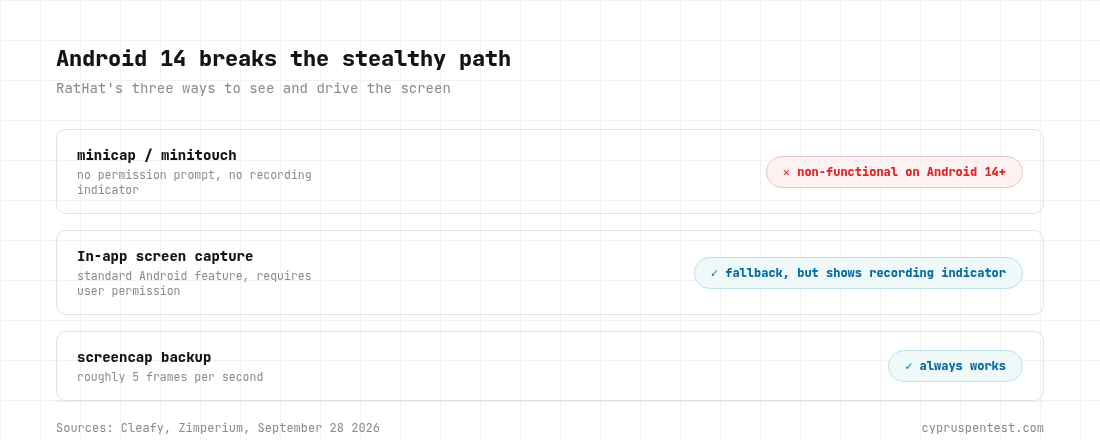
RatHat has three ways to see and drive the screen, and the fallbacks are instructive:
- minicap/minitouch via the Go program: screen streaming and tap simulation with no permission prompt and no recording indicator. This is the stealthy path, and it is non-functional on Android 14 and later.
- The in-app method: uses the standard Android screen-capture feature, which requires user permission and shows a recording indicator. This is what it falls back to on Android 14+.
- screencap backup: roughly 5 frames per second.
Note the Android 14 detail, because it is a genuine defensive win worth citing to clients: the stealthy minicap/minitouch path simply does not work on current Android, forcing the malware onto the visible, permission-gated path. Device fleet on modern Android is materially harder to monitor silently. That is a concrete argument for OS currency, not a vague one.
Where the AI actually sits
Two distinct uses of Google Gemini, and neither is decorative:
- Victim scoring at the console. The console feeds intercepted SMS banking messages to Gemini to estimate account balances, then sorts victims into high-value and mid-value buckets. Cleafy’s framing is exact: it decides which victims are worth an operator’s time. V6 works exclusively with Gemini; earlier versions supported multiple providers.
- Adaptive UI navigation on-device. When a programmed tap sequence fails, the malware sends the current screen layout to Gemini and asks for the correct tap coordinates for that specific phone model, Android version, and language. This is how a single build drives banking apps across a fragmented device landscape without the operator hand-tuning every target. ESET documented the same technique in PromptSpy back in February, so it is an established pattern now, not an experiment.
The takeaway for a mobile threat model is that overlay and automation attacks no longer break on UI variation. The attacker outsources the “which button, on this exact device” problem to a model.
What this means for a mobile assessment
RatHat is a device-compromise story, but it maps onto concrete things worth checking when you test a banking or high-value mobile app and the environment around it:
- Accessibility abuse resistance. Does the app detect or resist operating under an Accessibility service driving it? Overlay detection, tapjacking defenses, and Accessibility-based automation detection are testable, and this malware lives or dies on that permission.
- Detection of a shell-context / debugging environment. The malware runs from UID 2000 with wireless ADB active. An app handling money should be evaluated on whether it notices it is running on a device with active ADB debugging and shell-level tooling present.
- Overlay and screen-capture defenses. Fake login overlays are how credentials get harvested. FLAG_SECURE on sensitive screens and overlay-detection logic are directly relevant, and worth verifying rather than assuming.
- The fake-page distribution surface. The counterfeit “Google Store” page and lookalike download sites are the delivery front. Brand-abuse and lookalike-domain monitoring around your app is part of the same defense.
Testing exactly these device-side and app-side resistances is what a mobile application penetration test is for, and RatHat is a precise specification of what a real attacker does once the app is on the phone.
Indicators of compromise
C2 servers:
Admin.chunhuating[.]best(Panda Workshop V6, Sept 2026)Admin.xiongmaocs[.]pics(Panda Workshop V5, Aug 2026)8.231.120[.]246(BlackCat, Apr 2026)Admin.rathat[.]live(Fisher, Dec 2025 / Feb 2026)
Download links:
hxxps://dramaspoolcoa[.]com/en.html(Sept 2026)hxxps://rathat[.]me/app-release-rat-hat-live.apk(Dec 2025 / Feb 2026)
Sample MD5 hashes:
116346cace7f00ba557034b534d40791(Sept 2026)8fdc21e25097a46528211274e54330e1(Feb 2026)f83357b2d47c7d38ee53943373961211(Dec 2025)
On-device artifacts: minicap and minitouch binaries in /data/local/tmp under their real names; processes running as shell user (UID 2000); reverse-tunnel connections to the C2 infrastructure; Gemini API calls originating from the device using a stored API key. Infrastructure patterns: console domains beginning admin. or adminapi., cheap TLDs (.best, .beer, .top), and roughly half of observed C2 IPs on Singapore network AS4907.
The takeaway
RatHat is not exotic in its entry, it is a user tricked into installing an app, but it is a sharp example of where mobile threats are heading: self-escalation from an Accessibility grant into wireless ADB and a shell context, persistence that survives app deletion, and AI doing both target triage and cross-device UI navigation so a single build works everywhere. Two things bound it in the real world: Android 14+ kills the stealthy screen-capture path, and the whole chain hinges on the Accessibility permission and a user-driven install. For anyone defending a banking or high-value app, that is the test plan: resist Accessibility-driven automation, detect the debugging environment, lock down sensitive screens, and watch the lookalike-distribution surface. Check the IOCs above against your fleet, and treat OS currency as a control, not a nag. If you are shipping a banking or payment app and want to know exactly how it holds up against these specific techniques, that is what our mobile application penetration testing is for.